

In the Product Grid, you can open a widget as one of the following:
- a stand-alone widget
- a linked widget
Using a stand-alone widget
A stand-alone widget is populated with market data for an instrument selected in the Product Grid.
To use a stand-alone widget:
-
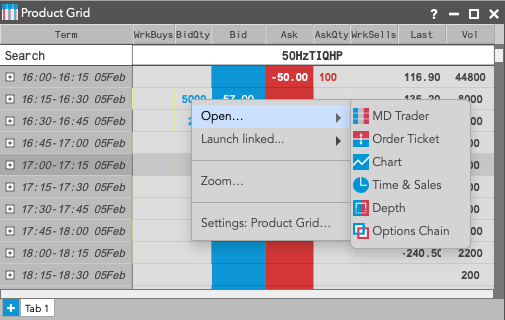
Right-click on an instrument row and select Open to show a list of widgets that can be opened from the Product Grid.
-
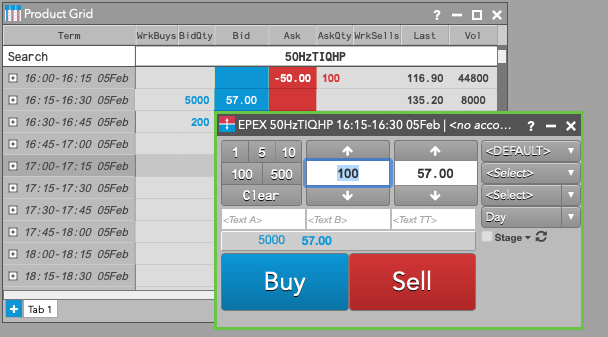
Click on a widget (e.g., Order Ticket) to select it.
The widget opens and is seeded with market data for the selected instrument.
Using a linked widget
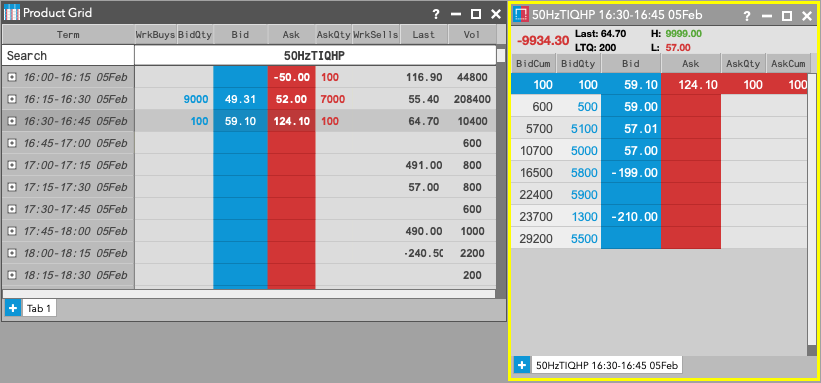
A linked widget is populated with market data for a selected instrument, but updates automatically when you select other instruments in the Product Grid.
To use a linked widget:
-
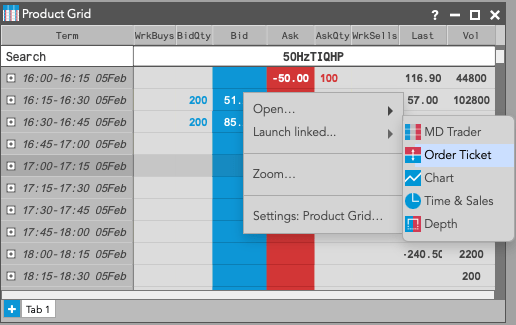
Right-click on an instrument row and select Launch linked… to show a list of widgets that can be linked to the Product Grid.
-
Click on a widget (e.g., Depth) to select it.
The linked widget opens with a yellow border.
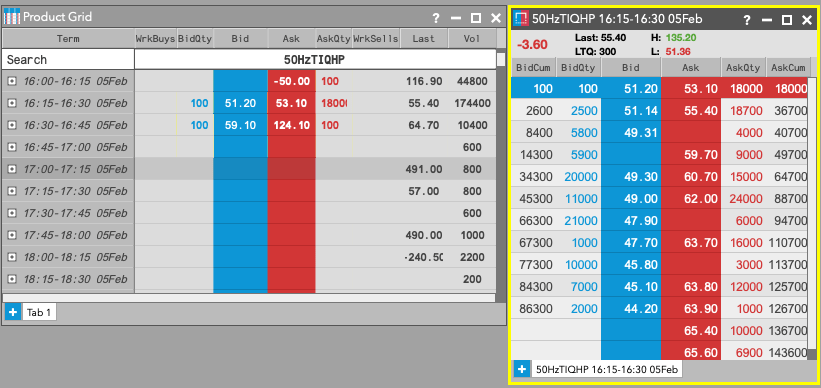
-
In the Product Grid, click a different instrument to select it.
The linked widget (e.g., Depth) now contains the market data for the selected instrument.