










Direct Entry is a type of Market-Making Algo. A direct entry order type submits the quoting orders based on the direct price supplied in the Bid Prc and Ask Prc inputs. The working orders will automatically reprice based on any changes to the supplied bid/ask price values.
Note: For an overview of Market Making Algos (MMA), refer to https://library.tradingtechnologies.com/trade/pa-market-making-algos.html
This order type is a one in a suite of algos that provide automated order entry strategies to quote a market based on a set of input parameters. Users are able to customize the quoting behavior, specify an action taken after a fill occurs, and control the risk parameters per instance. The strategies can be run from either Autotrader or Algo Dashboard. The values can be supplied manually by the user, linked from Excel, or loaded using order templates.

How the algos work
The algo parameters allow you to customize the quoting behavior, specify an action taken after a fill occurs, and control the risk parameters per instance.
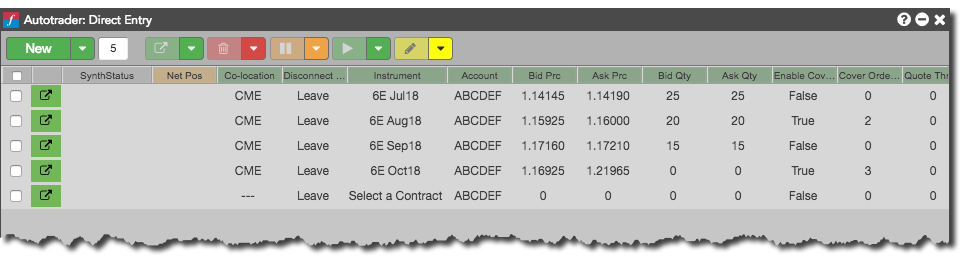
The quoting orders are submitted based on the base price and quantity inputs and may be adjusted depending on the If Quote Outside Join Mkt, If Quote Inside Join Mkt, and Don’t Cross Market settings. The strategy will automatically reprice quoting orders upon updates to the base price inputs. You can control the frequency of order updates with the Quote Throttle parameter. When a fill is received, the algo can automatically submit cover orders a specified number of ticks (Cover Offset) away from the fill price.
Based on the Manual Requote setting, the algo will automatically requote after the Fill Throttle has passed or suspend quoting on the side of the market that received the fill until the Requote button is clicked. The quote order will either be reduced or canceled based on the open position per instance versus the Max Pos allowed. The algo also gives you the option to reset the open position, if needed.
Notes:
- The user must enter a max position value for the algo to run; otherwise the strategy will pause.
- If the Enable Cover Orders parameter is enabled after starting the strategy, it will only consider fills achieved after that point.
- If no fill throttle is entered, the algo will consider the quote throttle prior to requoting.
Warnings:
- At this time TT recommends that you do not attempt to resume the algo from a paused state. Doing so will result in the momentary use of stale prices which can result in an unintentional fill.
- Any manual intervention with the orders managed by the algo will cause the strategy to stop managing those orders. The algo will no longer work an order on that side of the market.
Viewing and Editing an Algo
TT’s Market Making Algos are shared globally by TT. This allows you to use TT’s Algo Design Lab (ADL) to view and edit any Market Making Algo’s logic.
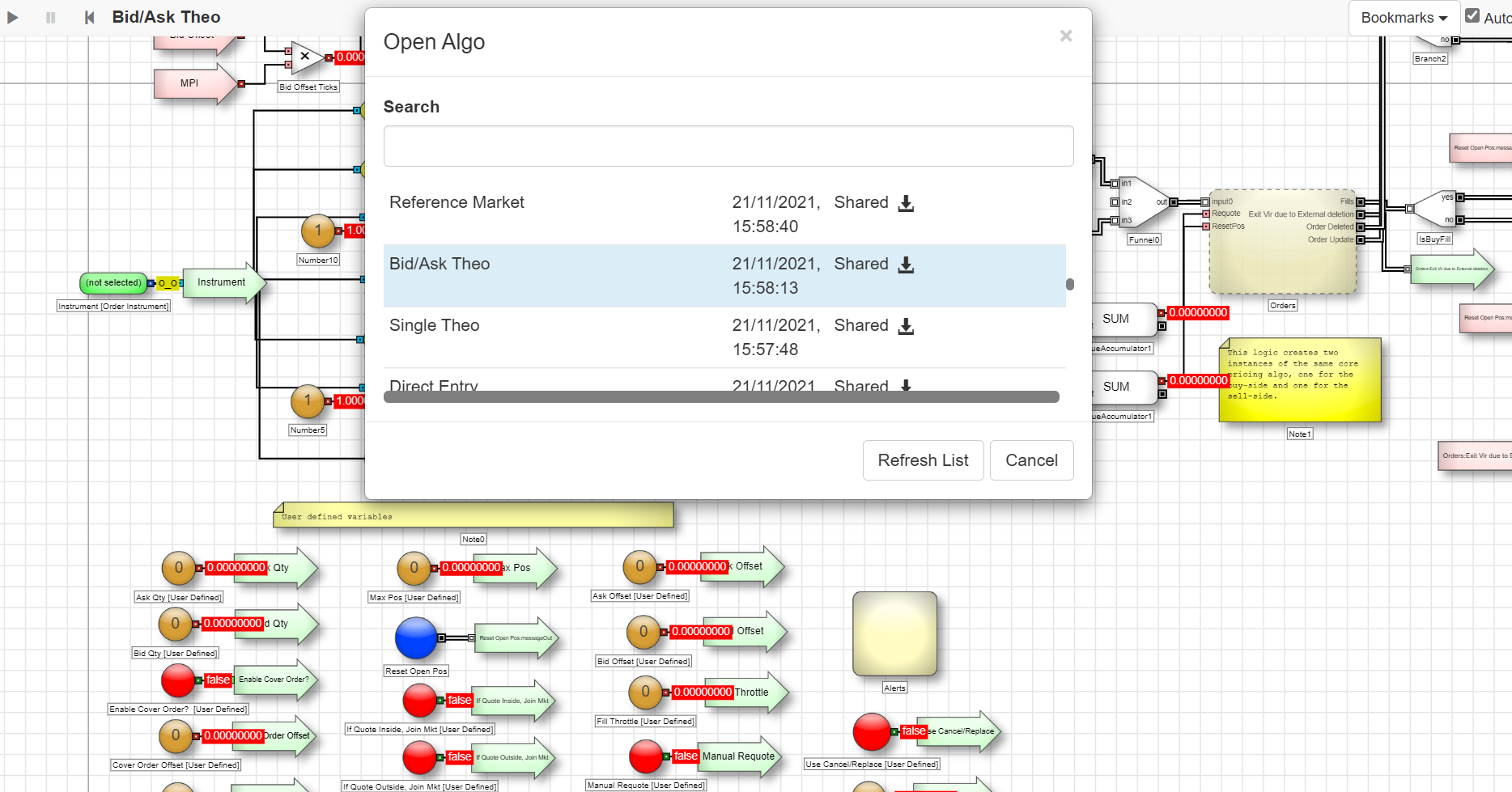
To view and edit an algo, open the ADL Canvas and select File, then Open from the toolbar at the top of the canvas. ADL displays a list of all available Shared Algos.
Once opened, you can save a copy and update this version of the algo with your own logic. Viewing the Market Making Algos can serve as a starting point for understanding the logic’s intentions and a great way to learn how to build algos in ADL.
Don’t Cross Market/Cover Order Offset Settings
You should consider the following when using the Don’t Cross Market and Cover Order Offset settings.
The Don’t Cross Market only applies to quote orders and does not affect cover orders. This setting uses the following rules:
If a quote order’s price change results in crossing the market, the algo deletes the order instead.
The algo places the quote order again when the price no longer crosses the market.
If a new quote order crosses the market, the algo waits to place the new quote order when it no longer crosses the market.
Setting Cover Order Offset equal to 0 or less can result in a fill/add loop. This occurs because the algo submits the new quote order immediately upon receiving the working quote order’s fill while sending the hedge order at the same time.
Since the quote order and the hedge order are sent at the same time, there is no opposite market for the Don’t Cross Market logic to detect. This is because the hedge order has not made it to the exchange to generate the price update.
To avoid this loop, set the Fill Throttle value to delay the placing of the quote order. This allows the cover order to make it to the exchange and update the price first.
Algo parameters
| Parameter | Description | Used by |
|---|---|---|
| Instrument | Contract for which to submit quote/cover orders (and the market to use when determining the base price for the Market Base algo). | All |
| Bid Prc | Direct price to submit the buy quoting order. | Direct Entry |
| Ask Prc | Direct price to submit the sell quoting order. | Direct Entry |
| Theo Price | Base price to submit the buy and sell quoting orders (Single Theo) | Single Theo |
| Theo Bid | Base price to submit the buy quoting order | Bid/Ask Theo |
| Theo Ask | Base price to submit the sell quoting order. | Bid/Ask Theo |
| Ref Instrument | Contract to use for the base price to submit buy and sell quoting orders. | Reference Market |
| Ref Prc Multiplier | Adjusts the price of the reference market before calculating the base price for the quoting orders. Default setting is 1. | Reference Market |
| Bid Offset | Offset, in ticks, from the base price for the buy quoting order. Positive value is away from market, negative value is toward market |
Single Theo Bid/Ask Theo Market Base Reference Market |
| Ask Offset | Offset, in ticks, from the base price for the sell quoting order. Positive value is away from market, negative value is toward market |
Single Theo Bid/Ask Theo Market Base Reference Market |
| Bid Qty | Quantity of the buy quoting order. | All |
| Ask Qty | Quantity of the sell quoting order. | All |
| Enable Cover Orders | Whether to submit an offsetting order to the market when you receive a fill on the quoting order. | All |
| Cover Order Offset | Number of ticks away from the quoting order fill price at which your cover order will be submitted. | All |
| Quote Throttle: | Delay (in milliseconds) in which a quote order may be updated. The throttle is observed from the time of last order update. If a price update occurs within the throttle time, the order update will be suppressed until the throttle time has elapsed. This parameter can be used to reduce excessive quoting. | All |
| Fill Throttle | Delay (in milliseconds) in which a quote order will not update after receiving a fill. Should a second fill occur during the throttle duration, the throttle time will be reset. | All |
| Max Pos | Maximum open position (used for both long and short) before the algo stops quoting the position-increasing side of the market. | All |
| Manual Requote | Whether to stop the algo from automatically requoting the same side of the market as the fill; cover orders will remain working. If this parameter is set to True, the Requote button will need to be clicked to resume quoting. | All |
| If Quote Outside, Join Mkt | Whether to adjust a quoting order to the current market price when the calculated quote price is outside the inside market price. | All |
| If Quote Inside, Join Mkt | Whether to adjust a quoting order to the current market price when the calculated quote price is better than the inside market price. | All |
| Don’t Cross Market | Whether to prevent a quoting order from crossing the inside market. | All |
| Use Cancel/ Replace | Whether to reprice the quoting order with a cancel/replace rather than using change. | All |
| TIF | Allows you to set one of the following time-in-force order restrictions for the algo: Day, GTC, IOC, FOK, Day+ (night session), GTC+ (night session). Note: Supported TIFs vary by exchange. | Single Theo Bid/Ask Theo Direct Entry Reference Market |
| Requote | Click the button to resume quoting after a fill has occurred when Manual Requote is set to True. | All |
| Reset Open Pos | Click the button to reset your current open position for the running instance back to zero | All |