










The Order Book widget allows you to inquire about EEX and Eurex block trades.
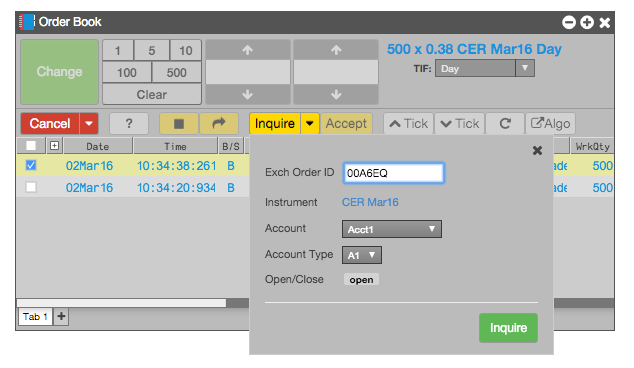
To send an inquiry to the exchange (EEX and Eurex only) about a block trade:
- Select the desired block trade order and click the Inquire drop-down, or you can click the drop-down with no order selected.
- Set or change any order attributes, if desired.
- Click Inquire.
To accept an offered block trade, select the order and click Accept. When accepting an order, you can also change the following attributes before accepting the block order:
- AccountType
- GiveUp/TakeUp member
- Open/Close setting
- Free-form text fields
Note: If the buy-side trader modifies an order between the time you inquire and accept the block trade, TT automatically updates the order.