










The account and user restrictions data can be exported to a .csv or .xlsx file directly from the Account & User Restrictions widget.
To export account and user restriction data:
- Click Widgets | TT User Setup | Account & User Restrictions from the menu bar to open the widget.
- Select the Account tab or User tab.

The “Account” is selected by default.
- If exporting data on the User Restrictions tab, click the account selector to choose an account.
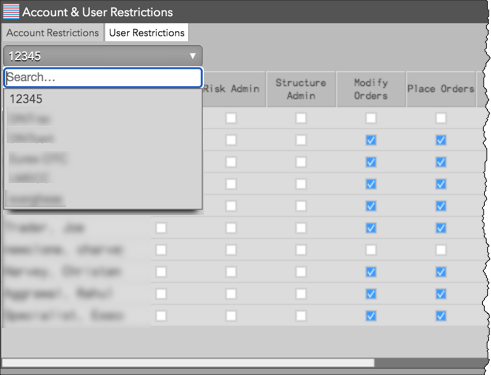
The User column displays all users assigned to the selected account. Each column shows if a user’s order permission is allowed or disallowed.
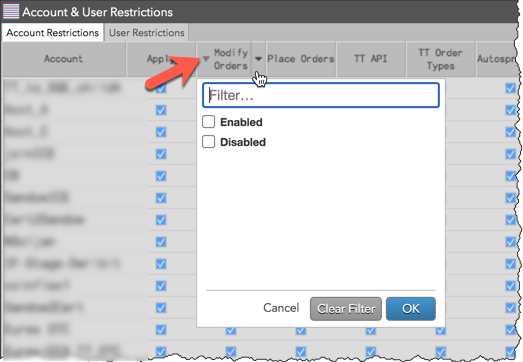
- Click each column header to sort or filter the account or user restriction data as needed.
- Right-click in the widget and select Export data as | Text (csv) or Excel (xls).
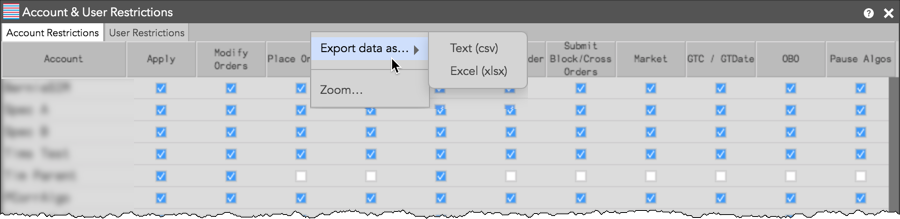
The data is exported to a file and downloaded to your workstation or laptop. Each restriction column is listed with either a “1” (enabled) or “0” (disabled) in the exported data.