










In the Setup application, a “company” represents an actual company (e.g, FCM, investment firm, etc.) or division of a company. Each company can have one or more administrators with varying permissions.
For example, an FCM can have administrators who are able to create and assign accounts and exchange credentials, or a buy side investment firm can have administrators who are able to create users who ultimately trade with accounts and exchange credentials provided by the FCM.
As a company administrator, use the Company Settings tab in the left navigation pane to administer the various company-level options available for your users.
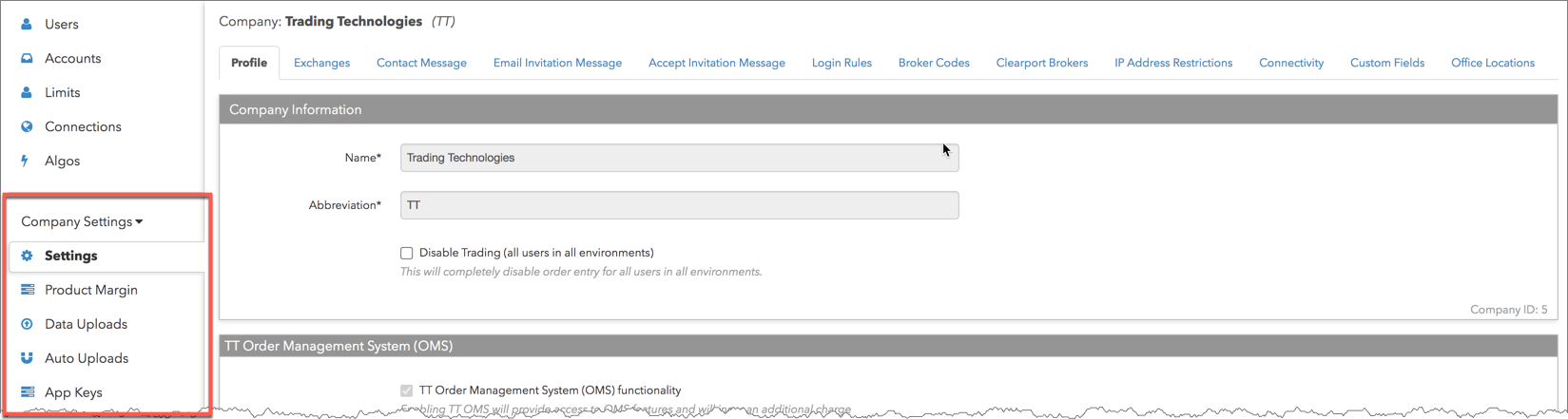
On this tab, you can access the following:
When you click Company Settings in the left navigation pane, the tabs on the Settings screen are displayed:
- Profile — Add Company Name (maximum length 128 characters), Company Abbreviation, Disable trading for all users in all environments in your company, enable price drift checks, and assign an auto-liquidate user for your company to liquidate accounts when credit limits are exceeded.
- Exchanges — Display the exchanges to which you can create connections.
- Contact Message — Provide your company’s contact information to users.
- Email Invitation Message — Customize company invitations.
- Accept Invitation Message — Customize invitation acceptance messages.
- Login Rules — Enable two-factor authentication for users in your company.
- Broker Codes — Reserved for future use.
- Clearport Brokers — Reserved for future use.
- IP Address Restrictions — Restrict company access to a single IP address or range of IP addresses.
- Connectivity — Enable private network access for your company.
- Custom Fields — Add and manage labels and values specific to users in your company.
- Office Locations — Add and manage location addresses for your company users.