










To define a symbol mapping:
-
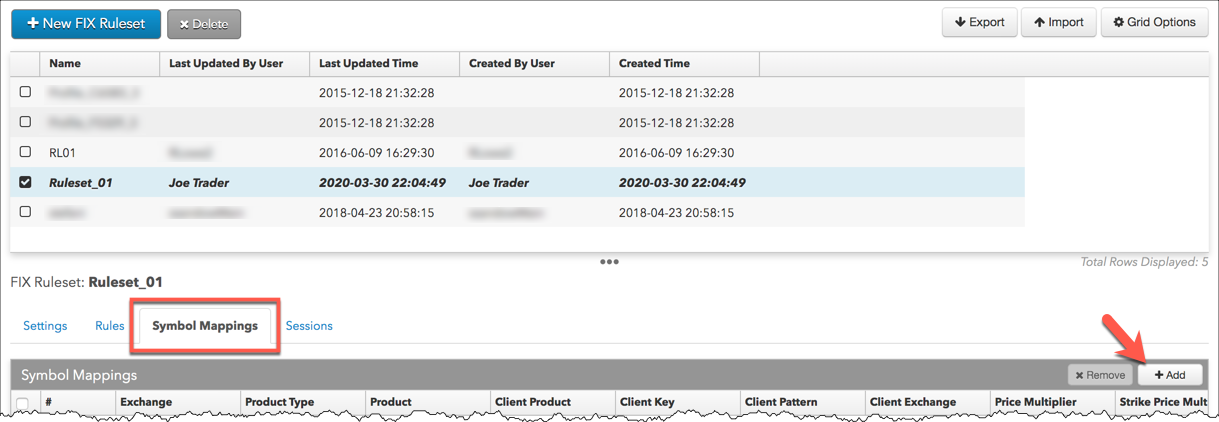
Click FIX Rulesets in the left navigation panel and select a FIX Ruleset in the data grid.
-
Select the Symbol Mappings tab and click +Add
-
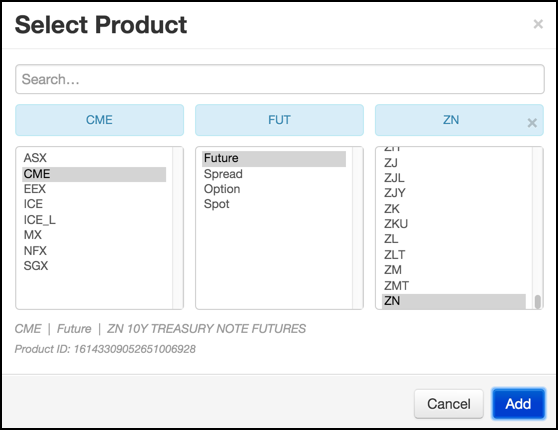
Select or search for the Exchange, Product Type, and Product to identify the contract in TT FIX and click Add.
-
Enter values that the FIX client will send for this symbol.
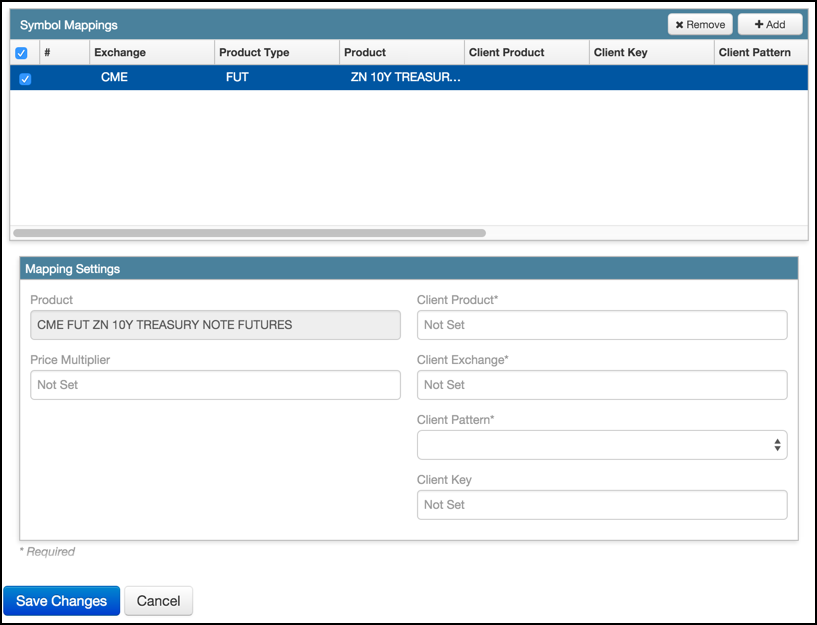
The following example defines a mapping for a FIX client that uses different product (TY) and exchange (XCBT) identifiers for the US 10-year treasury note futures than does TT FIX, which uses ZN (product) and CME (exchange). To identify the December 2016 contract, the FIX client sends 55=TYZ6. The pattern, <SYM><MY>, tells TT how to extract the product and expiry from the tag 55 value.

Note: For symbols that comprise a single character followed by a space, such as S X8 Comdty, you use replace the space with an underscore in the Client Product field. For example, when specifying the mapping for the “S ” symbol, you would specify “S_”.
-
Click Save Changes.