










Available settings
This setting affects only the selected Depth widget. To update the default settings with these value for newly-opened Depth widgets or to apply them to existing opened Depth widgets, click Defaults.
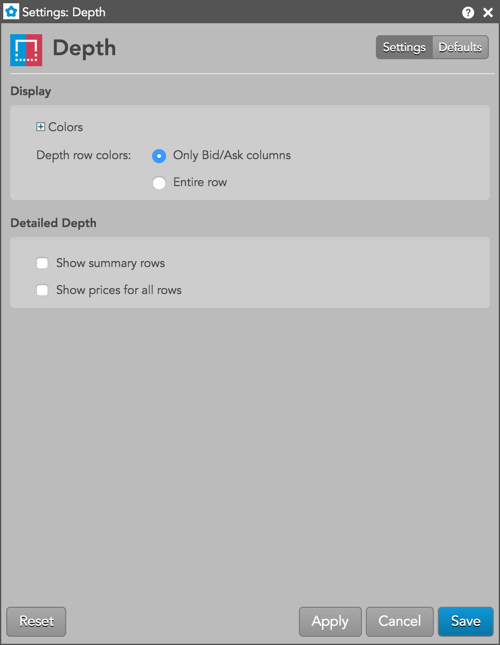
In the Display section, the following settings are available:
- Colors: Allows you to customize or change the cell and column colors available in the widget.
Includes Depth Bids and Depth Asks color options.
-
Depth row colors — Options to set colors for the following in the Depth widget:
- Only Bids/Asks columns
- Entire row
- Bold font: Enable this setting to use bold text in the widget.
In the Detailed Depth section, the following settings are available:
- Show Summary Rows — Displays rows with the total Bid and Ask quantity at each price level of detailed depth.
- Show prices for all rows — Displays prices for all rows of detailed depth shown in the widget.