






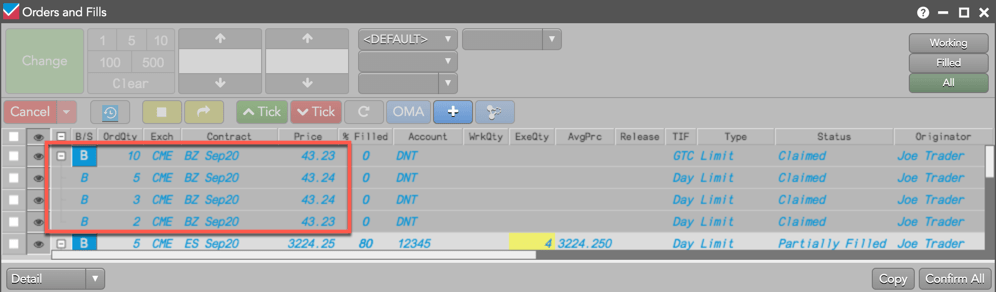
Using the Order Book or orders pane in the Order and Fills widget, you can bulk care orders together by:
- Selecting the “Bulk” option from the context menu.
- Using the combining tool.
- Dragging and dropping a care order on another care order.
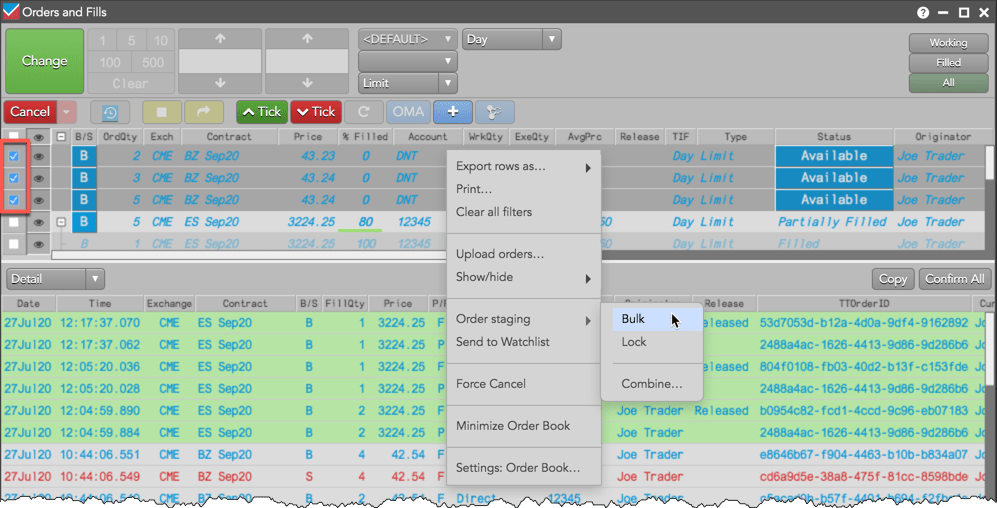
Bulking care orders using the context menu
- Select two or more claimed care orders in the Order Book or orders pane.
Tip: If the account or user has permission to “work orders without claiming” in Setup, you can bulk and claim care orders with a single bulking action.
- Right-click and select Order Staging | Bulk from the context menu.
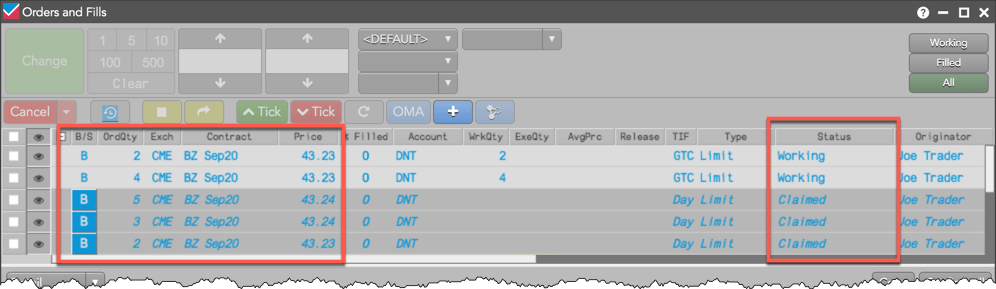
The care orders are bulked into a single order. Additional care orders can be added to the bulked order using the context menu, drag-and-drop, or the combining tool.
Bulking care orders using the combining tool
- Right-click a care order and select the Order staging | Combine option.
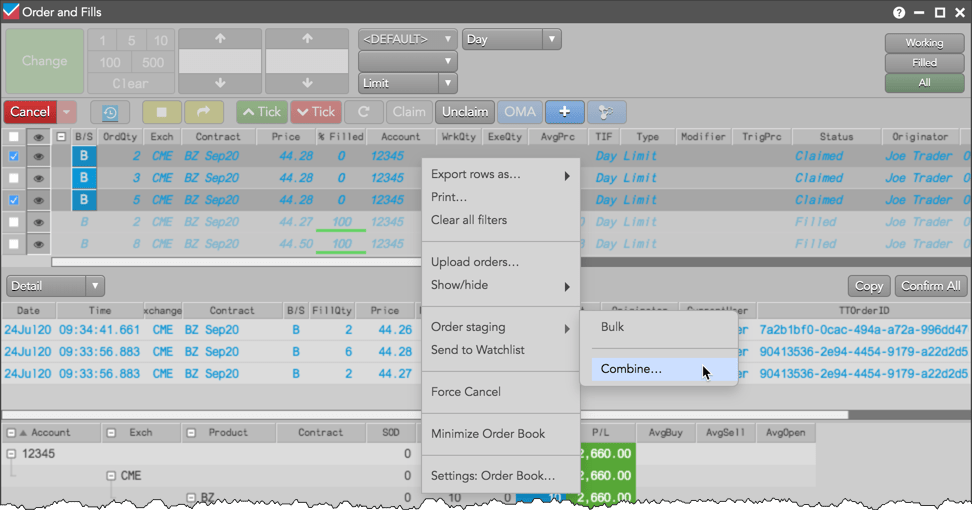
The combining tool appears in the left side of the Order Book or orders pane.
- Select the care orders being combined and click the Bulk button.
Tip: You can select the entire Order Book and hover on the Bulk button to see which orders are available for bulking.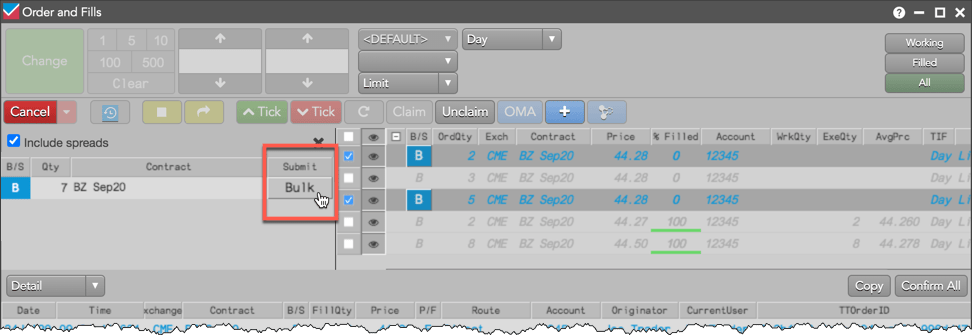
Bulking care orders using drag-and-drop
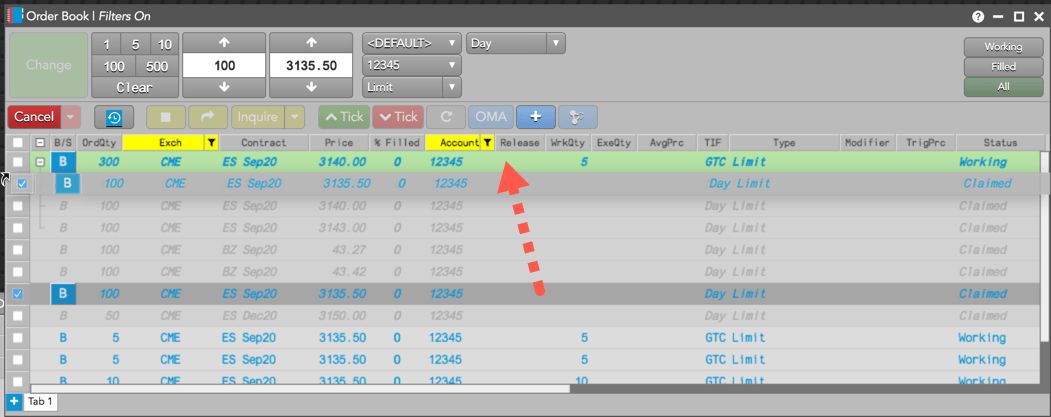
Left-click and drag-and-drop a care order unto another care order or bulked order.
Unbulking Care Orders
When you unbulk an order, consider the following:
- The child care orders return as claimed, individual care orders.
- Child orders continue working in the market, but are orphaned and no longer associated with any care order.
- Allocated fills remain with the child care orders to which they were allocated.
- If a care order is removed from a bulked order that is locked, the removed order remains locked. Refer to Lock and Release Overview.
To unbulk a care order, right-click the parent bulked order in the Order Book and select Order staging | Unbulk from the context menu.
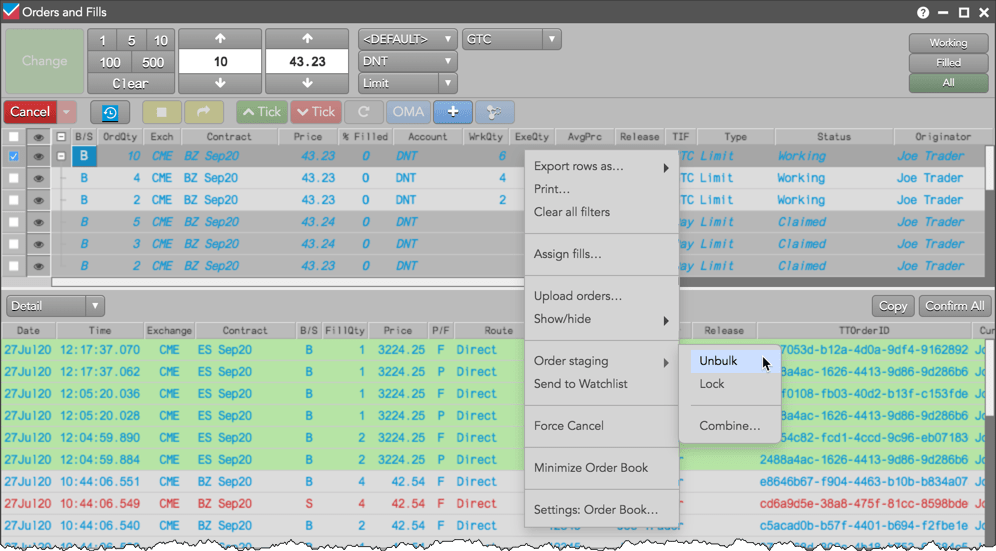
The working child orders and claimed care orders are returned to their “pre-bulked” state. The child orders continue working in the market as native exchange orders, but are “orphaned” and no longer associated with a care order and the parent bulked order no longer exists.