










You can use the following general procedure to create a strategy in the Options Chain:
-
Click the button for the desired strategy type. Alternatively, you can press and hold the Ctrl key to enter spread building mode.
-
Specify the legs of the strategy by clicking a Bid price for the desired options contract to add a buy leg to the strategy or clicking an Ask price to add a sell leg to the strategy.
-
In the Strategy Creation widget, make any desired adjustments and click Create to submit your options strategy to the exchange.
Creating a strategy in the Options Chain
From the Options Chain, you can create a synthetic options spread as a user-defined strategy in the Strategy Creation widget. These spreads can be published to the market by the exchange and made available from trading in the current trading session.
To create a strategy in the Options Chain:
-
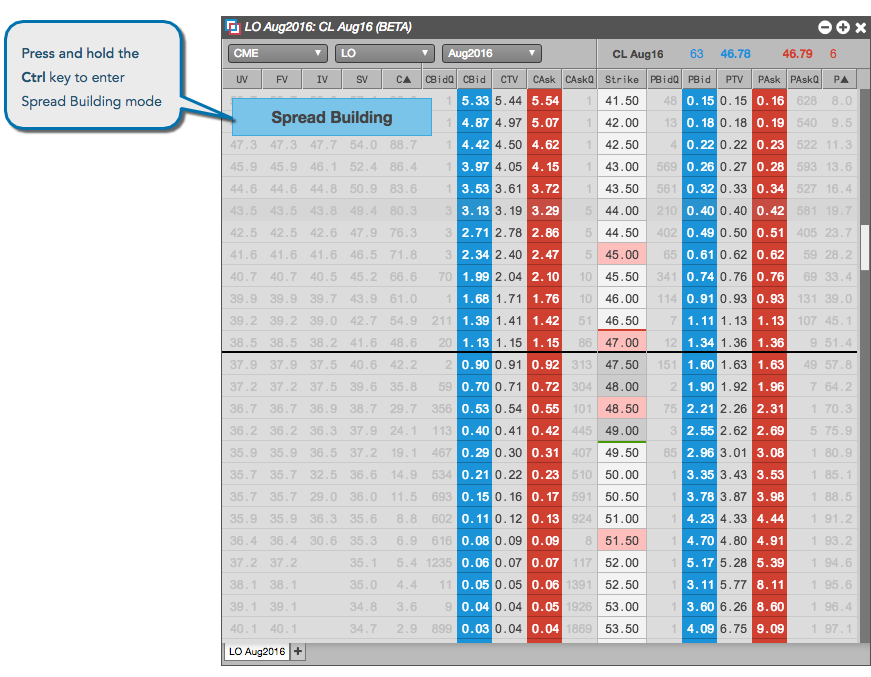
Press and hold the Ctrl key (control or command key for Mac OS) to enter spread building mode.
-
Click a Bid price to add for the desired options contract to add a buy leg to the strategy, or click an Ask price to add a sell leg to the strategy.
Multiple clicks on a bid/ask contract increments the ratio/quantity of that leg of the strategy.
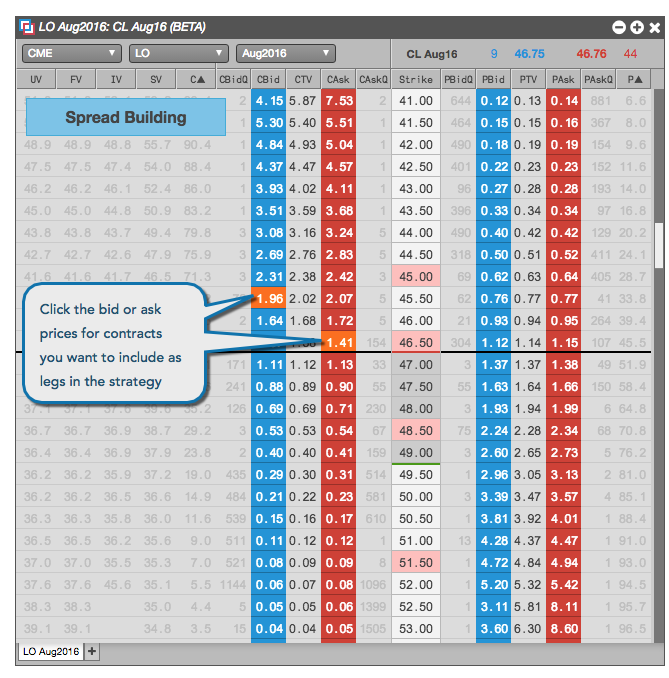
Note: If you left-click or right-click on a price in the Strike column, the legs for a straddle strategy are automatically selected.
-
Release the Ctrl key.
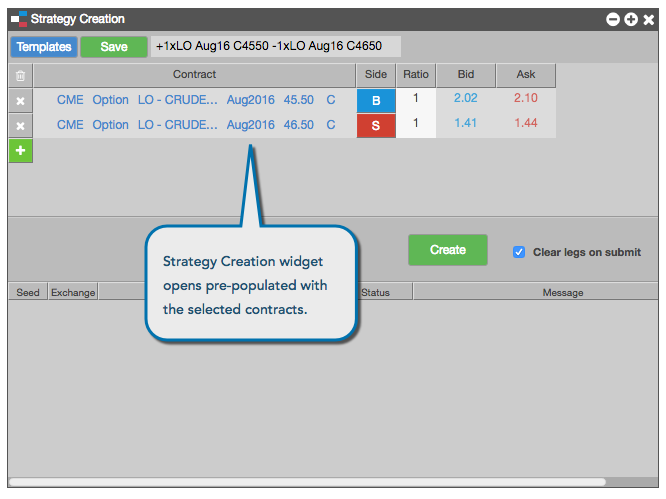
The Strategy Creation widget opens seeded with the options contracts, ratio, and buy/sell direction for each options leg.
-
In the Strategy Creation widget, make any desired adjustments and click Create to submit your options strategy to the exchange.