










MD Trader is the industry-leading interface that provides single-click order entry for an instrument while displaying market depth against a static, vertical price axis. The static price display gives you a visual sense of market movement over a period of time or relative to other markets.
When entering orders, MD Trader® gives you the ability to quickly and safely enter orders for an instrument with a single click. The static price ladder gives you the confidence to enter an order at a specific price level, and the intuitive design of the widget allows you to manage your working orders and positions.
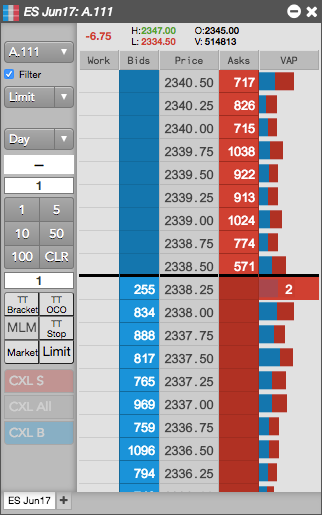
You can open the MD Trader widget as follows:
- Select MD Trader from the Widgets menu.
- Search for a product or instrument in the title bar, select it, then click on the MD Trader icon.
- Click Explore in the title bar, select an expiry, then click on the MD Trader icon.
- Launch as a linked widget from a Market Grid.
- Open as a Floating Order Entry widget from Market Grid, Spread Matrix, or Options Chain.
- Open as a stand-alone widget per account, exchange, product, or contract from a Positions widget.