Goldman Sachs Commodity Blocks (GSCB)
Configuring a GSCB order tag default (OTD)
Goldman Sachs will also provide each user with an Operator ID. For this to be sent on every order, a separate Order Tag Default (OTD) must be created for each user.
To add order tag defaults:
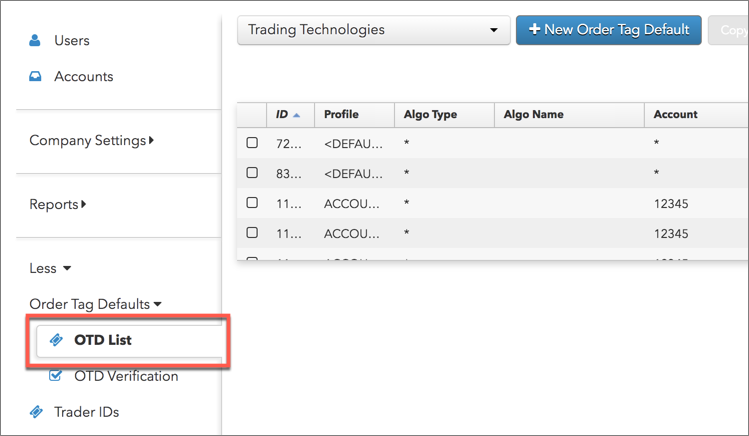
- Click More | Order Tag Defaults | OTD List tab in the left navigation panel.
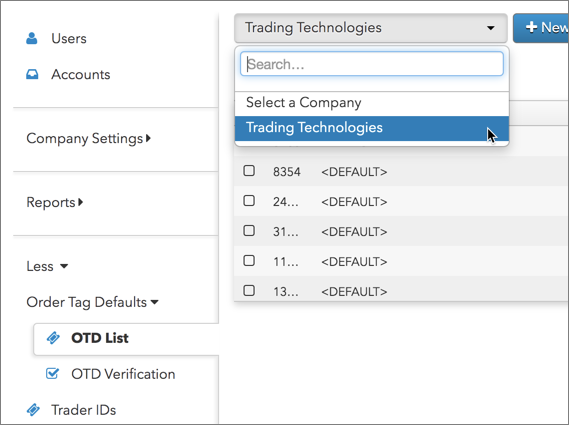
- Select a company to load order tag defaults in the data grid.
- Click the + New Order Tag Default button at the top of the screen.
- Configure the following settings on the Order Tag Defaults screen to view the exchange fields.
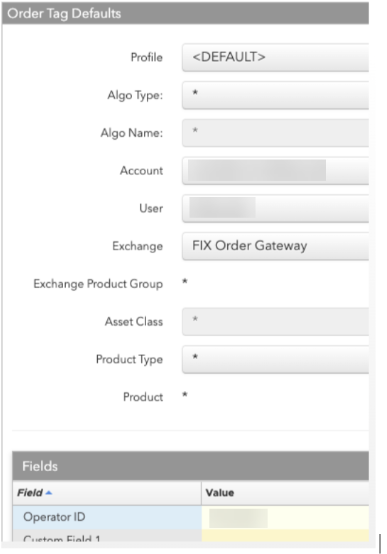
- Account = The account with the GSCB connection.
- User = User name for which this OTD is being created.
- Exchange = FIX Order Gateway
- Operator ID = Value provided by Goldman Sachs.
- Click Save.
The Order Tag Defaults are added as a profile in the data grid.