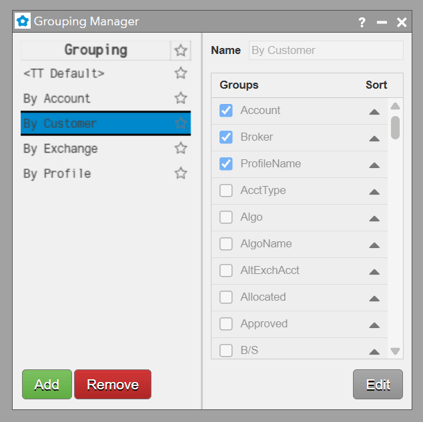




Create and maintain grouping definitions in the Grouping Manager, available from the main Edit menu. A grouping definition determines the fields and nesting order used by the grouping panel in the Order Book and Orders and Fills widget.
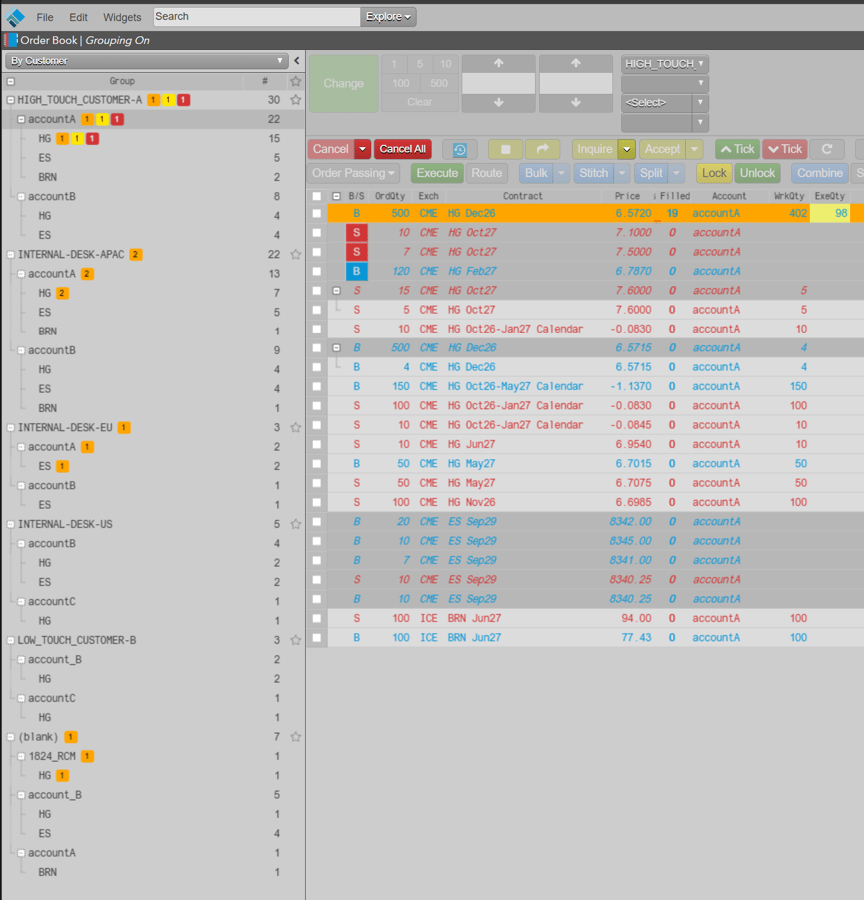
Color Callout Tags
To make these orders more easily accessible for taking needed actions, color callout tags highlight the respective orders:
- Pending Pass: Background = Pending Pass color (orange), Text = Black
- Modification Request: Background = Change button color (yellow), Text = Black
- Cancel Request = Background = Cancel button color (red), Text = White.
To open Grouping Manager, go to Edit > Grouping Manager.
“TT Default”, “By Account”, “By Exchange”, “By Profile” are already created and can be edited by clicking Edit to add or remove groups.
Add a custom Grouping by clicking Add. Name it and add desired Groups.
Note: Only 5 levels of hierarchy can be selected at a time.